 TM
TM TM
TM
Every time I created a new warehouse in Snowflake, I'd see it - that "Enable Query Acceleration" checkbox staring back at me.
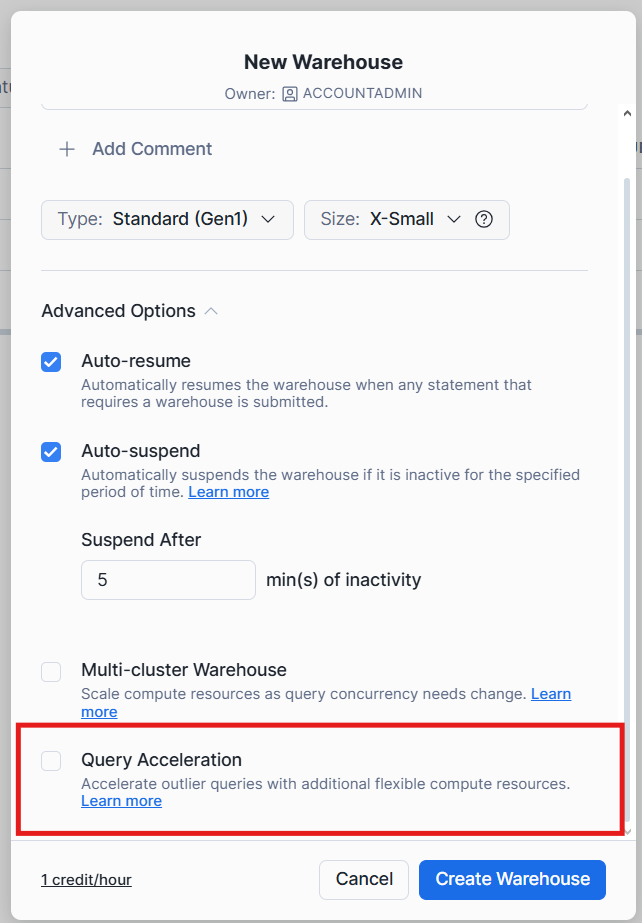
I'd glance at it, think "I don't need that," and move on. For months, I treated it like one of those features you assume is either too complex, too expensive, or just not relevant to your use case. The kind of thing you tell yourself you'll explore "someday."
Then one day, during a casual conversation with a LinkedIn connection, the Query Acceleration Service came up. They mentioned how it saved them from having to permanently upsize their warehouse.
That's when I decided to actually dig into what this mysterious checkbox does. And honestly? I was mind-blown.
In this blog, I'll walk you through what I learned about Query Acceleration Service. No fluff, just the practical insights I wish I'd known earlier.
Query Acceleration Service (QAS) is a serverless feature built into Snowflake warehouses. Think of it as on-demand backup compute that kicks in automatically when your queries need extra power.
When you run a query, Snowflake analyzes the query plan in real-time. If it detects the query can benefit from parallel processing, it automatically offloads portions of that work to temporary serverless compute.
Your warehouse keeps running normally. The serverless compute handles the heavy lifting in parallel. Once the query completes, that extra compute disappears.
No provisioning. No manual cluster management. No guessing when you'll need capacity. Snowflake handles it behind the scenes.
Let's say you're running this query to analyze customer purchase patterns:
SELECT
      c.region,
      p.category,
      COUNT(DISTINCT o.customer_id) AS unique_customers,
      SUM(o.amount) AS total_revenue,
      AVG(o.amount) AS avg_order_value
FROM orders o
JOIN customers c
	ON o.customer_id = c.customer_id
JOIN products p
	ON o.product_id = p.product_id
WHERE o.order_date >= '2024-01-01'
GROUP BY c.region, p.category
ORDER BY total_revenue DESC;
You're joining three tables:
Orders: 2 million rows
Customers: 20,000 rows
Products: 70,000 rows
Without QAS, your warehouse does everything sequentially - scan all three tables, join them, aggregate, sort.
With QAS enabled, here's what happens:
Snowflake analyzes the query plan and identifies the orders table scan as the heaviest operation. It offloads that scan to serverless compute.
While the serverless compute scans those 2 million order rows in parallel, your warehouse simultaneously handles the smaller customer and product table scans.
Once the serverless scan completes, the results flow back to your warehouse, which performs the joins, aggregations, and sorting.
The serverless compute then disappears. You paid for maybe 10-15 seconds of acceleration.
Snowflake split the parallelizable work between your warehouse and temporary compute, speeding up the overall query without you managing any of it.
So far, we know that QAS is basically compute working in parallel. Isn't it similar to multi cluster warehouses?
Well, I had similar doubts. So, I decided to dive deep and understand how similar or different are these features from one another
Here are the observations:
Feature | Multi-Cluster Warehouse | QAS |
What it handles | Many users querying simultaneously | Individual heavy queries |
Control | You set scaling policy | Snowflake decides automatically |
Duration | Clusters run for minutes | Compute used for seconds |
Best for | Sustained high concurrency | Occasional complex queries |
Billing | Per-second for full clusters | Per-second for actual acceleration |
Use multi-cluster when: You have 20+ analysts constantly hitting your warehouse during business hours.
Use QAS when: You have a few complex queries that occasionally spike and need temporary power.
Does QAS work on every query? The answer is no. Not every query can be accelerated.
For QAS to help, a query needs two things:
Parallelizable operations – Like large table scans, joins, or aggregations that can be split across multiple compute resources.
Significant data volume – The query needs to scan many partitions (a lot of data). Small queries that already run in milliseconds won't benefit.
Simple queries on tiny tables? QAS won't kick in. They're already fast.
Sequential operations that can't be parallelized? QAS can't help.
But large table scans with aggregations across millions of rows? Perfect candidate.
Now, you need not remember these finer details. Snowflake gives you a function to check eligibility before enabling QAS
Run your query and grab its query ID from the history.
Use the built in function to check query eligibility
SELECT SYSTEM$ESTIMATE_QUERY_ACCELERATION('01b2c3d4-e5f6-7890');If the query is ineligible, you'll get this:
{
    "estimatedQueryTimes": {},
    "originalQueryTime": 45.2,
    "queryUUID": "01b2c3d4-e5f6-7890",
    "status": "ineligible",
    "upperLimitScaleFactor": 0
}
Notice the status: ineligible and empty estimatedQueryTimes. This query won't benefit from QAS.
If the query is eligible, you'll see something like this :
{
    "estimatedQueryTimes": {
      "1": 38.5,
      "2": 28.3,
      "4": 18.7,
      "8": 12.4
    },
    "originalQueryTime": 45.2,
    "queryUUID": "01b2c3d4-e5f6-7890",
    "status": "eligible",
    "upperLimitScaleFactor": 8
}
Breaking it down:
originalQueryTime: How long the query actually took (45.2 seconds)
estimatedQueryTimes: Estimated completion times at different scale factors
status: "eligible" means QAS can help
upperLimitScaleFactor: Maximum useful scale factor
At scale factor 8, this query could drop from 45 seconds to about 12 seconds. That's a 73% improvement.
A scale factor is a multiplier that controls how much serverless compute QAS can use. It's expressed as a multiple of your warehouse size.
Example:
If you're running a Large warehouse (8 credits/hour) & you set a scale factor of 4, QAS can use upto 4 × 8 = 32 credits/hour of serverless compute.
The scale factor is a ceiling, not a fixed amount.
If a query can be accelerated with less compute, QAS uses less. You're never charged for more than what's actually used.
Let's use the earlier example - a query that originally took 45.2 seconds:
Scale Factor | Estimated Time | Speedup | Max Additional Credits/Hour |
0 (disabled) | 45.2s | - | 0 |
1 | 38.5s | 15% faster | 8 credits |
2 | 28.3s | 37% faster | 16 credits |
4 | 18.7s | 59% faster | 32 credits |
8 | 12.4s | 73% faster | 64 credits |
Notice the pattern?
Going from scale factor 1 to 2 saves you 10 seconds.
But going from 4 to 8 only saves about 6 seconds while doubling the potential cost.
Remember that upperLimitScaleFactor: 8 from the JSON response?
{
    "estimatedQueryTimes": {
      "1": 38.5,
      "2": 28.3,
      "4": 18.7,
      "8": 12.4
    },
    "originalQueryTime": 45.2,
    "queryUUID": "01b2c3d4-e5f6-7890",
    "status": "eligible",
    "upperLimitScaleFactor": 8
}
The upperLimitScaleFactor tells you the point where additional scale factor stops helping. In this example, setting the scale factor to 10 or 12 wouldn't make the query any faster than 8.
The query's complexity maxes out the benefit at scale factor 8.
If you're creating a new warehouse, just add two properties:
CREATE WAREHOUSE COMPUTE_WH
WITH WAREHOUSE_SIZE = 'LARGE'
ENABLE_QUERY_ACCELERATION = TRUE
QUERY_ACCELERATION_MAX_SCALE_FACTOR = 4;
That's it. QAS is now enabled with a maximum scale factor of 4.
Already have a warehouse? Use this:
ALTER WAREHOUSE COMPUTE_WH
SET ENABLE_QUERY_ACCELERATION = TRUE
QUERY_ACCELERATION_MAX_SCALE_FACTOR = 3;
The moment you run this, QAS starts working automatically. Snowflake will analyze each query and accelerate eligible ones without any additional action from you.
Changed your mind about the scale factor? Adjust it anytime:
ALTER WAREHOUSE COMPUTE_WH
SET QUERY_ACCELERATION_MAX_SCALE_FACTOR = 5;
No need to disable QAS first. Just change the value.
If you ever need to turn it off completely:
ALTER WAREHOUSE ANALYTICS_WH
SET ENABLE_QUERY_ACCELERATION = FALSE;
Two properties. Two lines of SQL. That's all it takes.
QAS is billed per-second, only when actively accelerating queries.
QAS Cost = (Warehouse credits/hour) × (Scale Factor) × (Seconds Used) ÷ 3600Let's say you're running a Large warehouse (8 credits/hour) with a scale factor of 4. A query gets accelerated for 30 seconds.
QAS cost: 8 credits/hour × 4 × 30 seconds ÷ 3600 = 0.27 credits
Warehouse cost (already running, past 60-sec minimum): 8 credits/hour × 30 seconds ÷ 3600 = 0.067 credits
Total cost for those 30 seconds: 0.337 credits
Note: If you're starting a cold warehouse, factor in the 60-second minimum billing for the warehouse itself. QAS still bills per-second regardless.
Without QAS:
Query runs for 45 seconds on warehouse only
Cost: 0.10 credits (warehouse already running)
Other queries stuck waiting in queue
With QAS:
Query runs for 15 seconds (warehouse + QAS working together)
Cost: 0.337 credits
Warehouse freed up 30 seconds sooner for other queries
Yes, the individual query costs more. But you're paying for speed and better concurrency.
QAS makes financial sense when:
You have occasional performance spikes – A few heavy queries per day, not constant load
The alternative is upsizing permanently – Paying for a larger warehouse 24/7 would cost far more
Queue buildup is hurting productivity – Analysts waiting for queries costs time and money
QAS might not make sense when:
Your queries are consistently heavy all day (consider permanent upsizing instead)
You're already running the smallest warehouse and cost is extremely tight
Your queries are already fast and don't qualify for acceleration
That "Enable Query Acceleration" checkbox I used to ignore? It turned out to be one of the simplest ways to handle performance spikes without over-provisioning.
If you're dealing with occasional heavy queries that slow down your warehouse, check which ones qualify using the SYSTEM$ESTIMATE_QUERY_ACCELERATION function. Start with a conservative scale factor like 3 or 4, monitor the results, and adjust from there.
Sometimes the features you overlook are the ones that make the biggest difference.
Want to master Snowflake and prepare for the SnowPro Core Certification?
Check out the Snowpro Core Certification Path on Enqurious Academy and start your certification journey.

New engineers shouldn't learn Docker like they're defusing a bomb. Here's how we created a fear-free learning environment—and cut training time in half." (165 characters)

A complete beginner’s guide to data quality, covering key challenges, real-world examples, and best practices for building trustworthy data.
Explore the power of Databricks Lakehouse, Delta tables, and modern data engineering practices to build reliable, scalable, and high-quality data pipelines."
Ever wonder how Netflix instantly unlocks your account after payment, or how live sports scores update in real-time? It's all thanks to Change Data Capture (CDC). Instead of scanning entire databases repeatedly, CDC tracks exactly what changed. Learn how it works with real examples.
A real-world Terraform war story where a “simple” Azure SQL deployment spirals into seven hard-earned lessons, covering deprecated providers, breaking changes, hidden Azure policies, and why cloud tutorials age fast. A practical, honest read for anyone learning Infrastructure as Code the hard way.

From Excel to Interactive Dashboard: A hands-on journey building a dynamic pricing optimizer. I started with manual calculations in Excel to prove I understood the math, then automated the analysis with a Python pricing engine, and finally created an interactive Streamlit dashboard.

Data doesn’t wait - and neither should your insights. This blog breaks down streaming vs batch processing and shows, step by step, how to process real-time data using Azure Databricks.

A curious moment while shopping on Amazon turns into a deep dive into how Rufus, Amazon’s AI assistant, uses Generative AI, RAG, and semantic search to deliver real-time, accurate answers. This blog breaks down the architecture behind conversational commerce in a simple, story-driven way.

This blog talks about Databricks’ Unity Catalog upgrades -like Governed Tags, Automated Data Classification, and ABAC which make data governance smarter, faster, and more automated.

Tired of boring images? Meet the 'Jai & Veeru' of AI! See how combining Claude and Nano Banana Pro creates mind-blowing results for comics, diagrams, and more.
An honest, first-person account of learning dynamic pricing through hands-on Excel analysis. I tackled a real CPG problem : Should FreshJuice implement different prices for weekdays vs weekends across 30 retail stores?

What I thought would be a simple RBAC implementation turned into a comprehensive lesson in Kubernetes deployment. Part 1: Fixing three critical deployment errors. Part 2: Implementing namespace-scoped RBAC security. Real terminal outputs and lessons learned included
This blog walks you through how Databricks Connect completely transforms PySpark development workflow by letting us run Databricks-backed Spark code directly from your local IDE. From setup to debugging to best practices this Blog covers it all.

This blog unpacks how brands like Amazon and Domino’s decide who gets which coupon and why. Learn how simple RFM metrics turn raw purchase data into smart, personalised loyalty offers.

A simple ETL job broke into a 5-hour Kubernetes DNS nightmare. This blog walks through the symptoms, the chase, and the surprisingly simple fix.
A data engineer started a large cluster for a short task and couldn’t stop it due to limited permissions, leaving it idle and causing unnecessary cloud costs. This highlights the need for proper access control and auto-termination.

Say goodbye to deployment headaches. Learn how Databricks Asset Bundles keep your pipelines consistent, reproducible, and stress-free—with real-world examples and practical tips for data engineers.

Tracking sensitive data across Snowflake gets overwhelming fast. Learn how object tagging solved my data governance challenges with automated masking, instant PII discovery, and effortless scaling. From manual spreadsheets to systematic control. A practical guide for data professionals.

My first hand experience learning the essential concepts of Dynamic pricing

Running data quality checks on retail sales distribution data
This blog explores my experience with cleaning datasets during the process of performing EDA for analyzing whether geographical attributes impact sales of beverages

Snowflake recommends 100–250 MB files for optimal loading, but why? What happens when you load one large file versus splitting it into smaller chunks? I tested this with real data, and the results were surprising. Click to discover how this simple change can drastically improve loading performance.
Master the bronze layer foundation of medallion architecture with COPY INTO - the command that handles incremental ingestion and schema evolution automatically. No more duplicate data, no more broken pipelines when new columns arrive. Your complete guide to production-ready raw data ingestion

Learn Git and GitHub step by step with this complete guide. From Git basics to branching, merging, push, pull, and resolving merge conflicts—this tutorial helps beginners and developers collaborate like pros.

Discover how data management, governance, and security work together—just like your favorite food delivery app. Learn why these three pillars turn raw data into trusted insights, ensuring trust, compliance, and business growth.
Beginner’s journey in AWS Data Engineering—building a retail data pipeline with S3, Glue, and Athena. Key lessons on permissions, data lakes, and data quality. A hands-on guide for tackling real-world retail datasets.

A simple request to automate Google feedback forms turned into a technical adventure. From API roadblocks to a smart Google Apps Script pivot, discover how we built a seamless system that cut form creation time from 20 minutes to just 2.

Step-by-step journey of setting up end-to-end AKS monitoring with dashboards, alerts, workbooks, and real-world validations on Azure Kubernetes Service.

My learning experience tracing how an app works when browser is refreshed
Demonstrates the power of AI assisted development to build an end-to-end application grounds up
A hands-on learning journey of building a login and sign-up system from scratch using React, Node.js, Express, and PostgreSQL. Covers real-world challenges, backend integration, password security, and key full-stack development lessons for beginners.

This is the first in a five-part series detailing my experience implementing advanced data engineering solutions with Databricks on Google Cloud Platform. The series covers schema evolution, incremental loading, and orchestration of a robust ELT pipeline.

Discover the 7 major stages of the data engineering lifecycle, from data collection to storage and analysis. Learn the key processes, tools, and best practices that ensure a seamless and efficient data flow, supporting scalable and reliable data systems.

This blog is troubleshooting adventure which navigates networking quirks, uncovers why cluster couldn’t reach PyPI, and find the real fix—without starting from scratch.
Explore query scanning can be optimized from 9.78 MB down to just 3.95 MB using table partitioning. And how to use partitioning, how to decide the right strategy, and the impact it can have on performance and costs.

Dive deeper into query design, optimization techniques, and practical takeaways for BigQuery users.

Wondering when to use a stored procedure vs. a function in SQL? This blog simplifies the differences and helps you choose the right tool for efficient database management and optimized queries.

Discover how BigQuery Omni and BigLake break down data silos, enabling seamless multi-cloud analytics and cost-efficient insights without data movement.

In this article we'll build a motivation towards learning computer vision by solving a real world problem by hand along with assistance with chatGPT

This blog explains how Apache Airflow orchestrates tasks like a conductor leading an orchestra, ensuring smooth and efficient workflow management. Using a fun Romeo and Juliet analogy, it shows how Airflow handles timing, dependencies, and errors.

The blog underscores how snapshots and Point-in-Time Restore (PITR) are essential for data protection, offering a universal, cost-effective solution with applications in disaster recovery, testing, and compliance.
The blog contains the journey of ChatGPT, and what are the limitations of ChatGPT, due to which Langchain came into the picture to overcome the limitations and help us to create applications that can solve our real-time queries
This blog simplifies the complex world of data management by exploring two pivotal concepts: Data Lakes and Data Warehouses.

demystifying the concepts of IaaS, PaaS, and SaaS with Microsoft Azure examples

Discover how Azure Data Factory serves as the ultimate tool for data professionals, simplifying and automating data processes

Revolutionizing e-commerce with Azure Cosmos DB, enhancing data management, personalizing recommendations, real-time responsiveness, and gaining valuable insights.
Highlights the benefits and applications of various NoSQL database types, illustrating how they have revolutionized data management for modern businesses.

This blog delves into the capabilities of Calendar Events Automation using App Script.
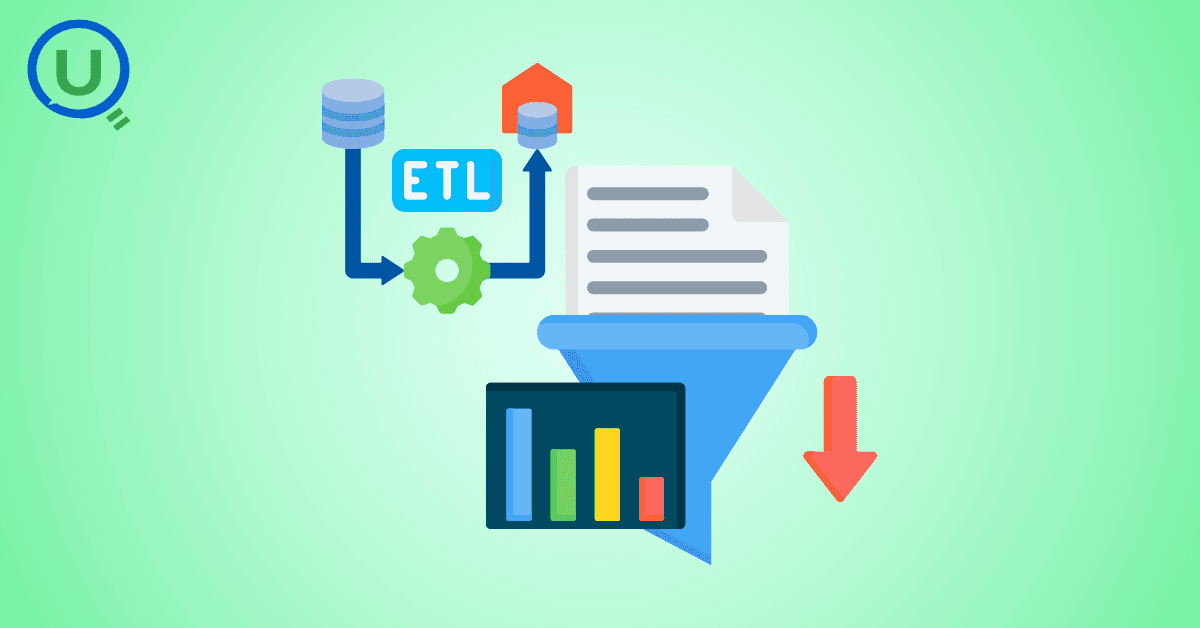
Dive into the fundamental concepts and phases of ETL, learning how to extract valuable data, transform it into actionable insights, and load it seamlessly into your systems.

An easy to follow guide prepared based on our experience with upskilling thousands of learners in Data Literacy

Teaching a Robot to Recognize Pastries with Neural Networks and artificial intelligence (AI)

Streamlining Storage Management for E-commerce Business by exploring Flat vs. Hierarchical Systems

Figuring out how Cloud help reduce the Total Cost of Ownership of the IT infrastructure

Understand the circumstances which force organizations to start thinking about migration their business to cloud